How to find hidden gems and give them the traffic they deserve
How to find hidden gems and give them the traffic they deserve
Somewhere in your catalog sits a product that converts brilliantly — almost everyone who sees it buys it — but hardly anyone ever sees it. It doesn't show up in your bestseller list, because bestsellers are ranked by sales, and sales need traffic. Fashion Analytics calls these products hidden gems, and surfacing them is the fastest extra revenue in the app: nothing about the product needs to change, only its traffic.
What you will learn
- What makes a product a hidden gem
- How to find them with the Marketing assistant
- How to send them traffic with one Shopify tag
Walkthrough: find hidden gems and push them to your channels (1:30).
What makes a product a hidden gem
A hidden gem is defined by three signals working together. High conversion rate: of the few people who did see the page, an unusually large share bought — the product and its page are proven. Healthy stock: there's enough inventory to survive the attention you're about to send it. Low views: the only thing missing is an audience. A bestseller has views and sales; a hidden gem has the sales quality without the views — which is exactly why revenue rankings never surface it.
Step 1 — Open the Marketing assistant
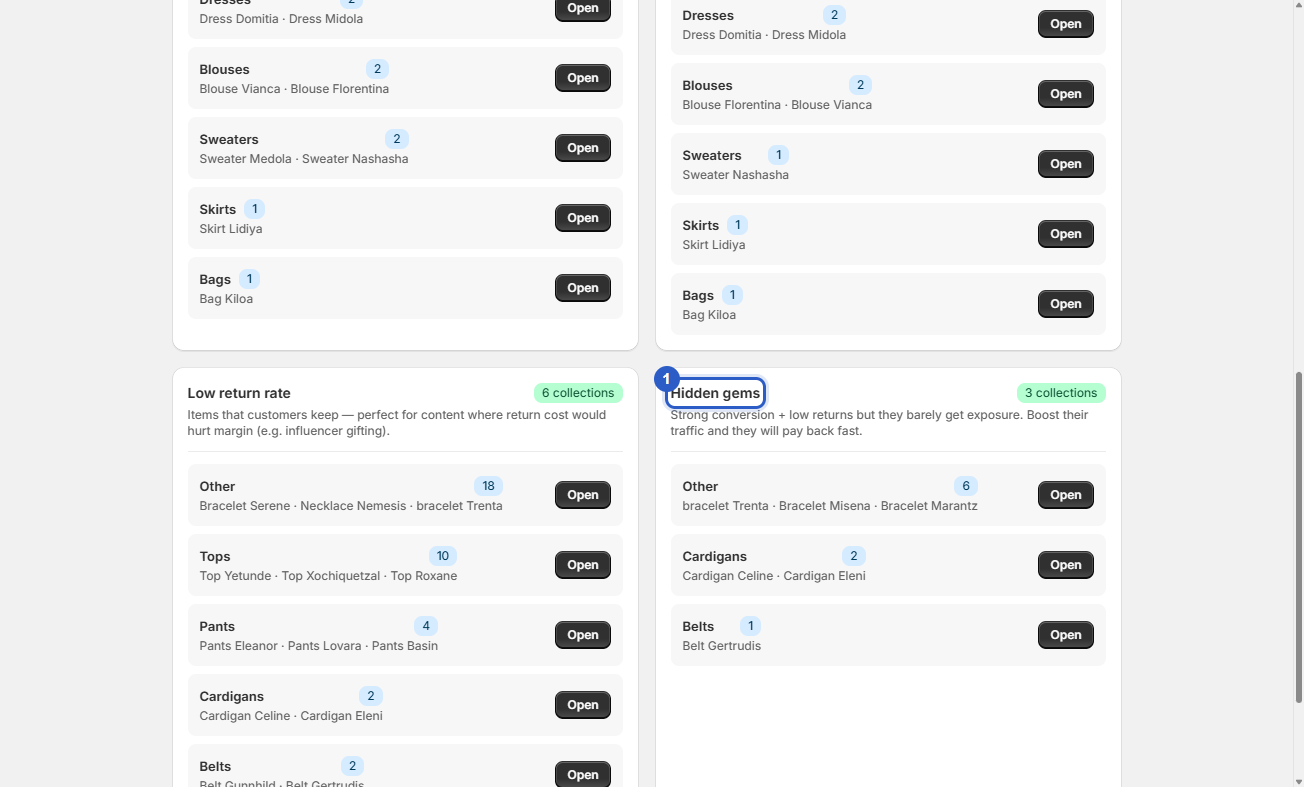
You don't have to construct this filter yourself. Open the Marketing assistant and scroll to the Hidden gems category. Click Open on the group you want to work with — the Marketing dashboard opens with that selection pre-applied. Every product in the list already passed your marketing thresholds from Settings (minimum stock, minimum sold, acceptable return rate), so you won't accidentally push a near-empty or high-return item.
Step 2 — Read a gem's row before you push it
A typical hidden gem: conversion rate 12% on 21 views, with 80 in stock. Twelve percent is multiples of a normal store average of 2–5% — but 21 views means your audience essentially walked past it. Two checks before acting: a high conversion built on a handful of views can be luck, so widen the period first and see if the conversion holds; and glance at the return rate column — a gem with a high return rate isn't a gem, it's a refund machine waiting for traffic.
Step 3 — Tag the selection and let your channels pick it up
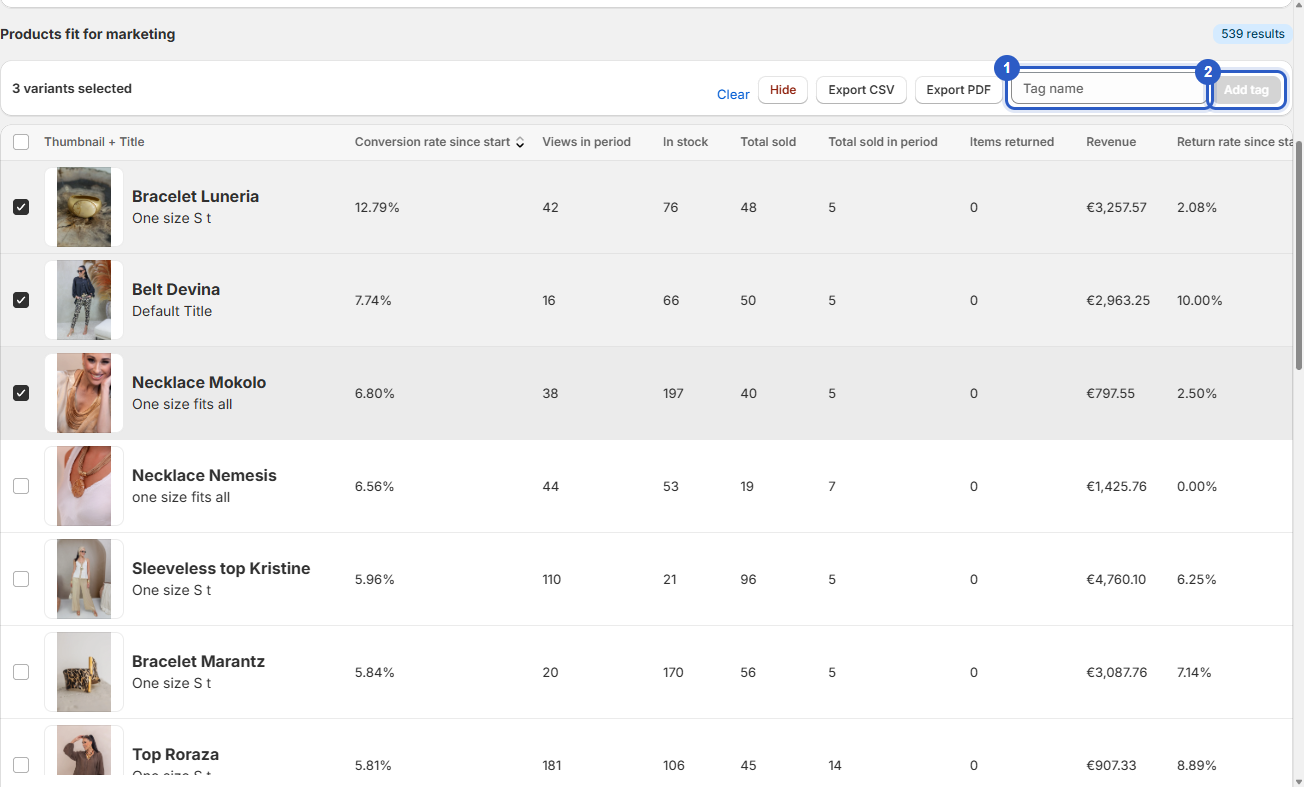
Tick the gems you want to push, type a tag in the tag field — for example fa-hidden-gem — and click Add tag. The tag is written to your store, and it works anywhere Shopify tags work: a smart collection featured on your homepage, a product segment in your email tool (tools like Klaviyo use Shopify tags for product segments, so you can load the gems into your emails and flows), or third-party ad software that pushes the selection into your Meta Ads and Google Ads campaigns.
💡 Good to know
- Accessories are frequent hidden gems and often carry 70–90% margins — ideal cross-sell candidates next to your bestsellers.
- Repeat the check every few weeks: yesterday's gem becomes a normal seller once it has traffic, and a fresh one takes its place.
The cheapest revenue in your store
A hidden gem needs no redesign, no new photos, no price change — the product already convinces the people who see it; the only thing missing is an audience. Find them in the assistant, tag them once, and every channel — homepage, email, ads — can start sending them the traffic they earned.
Questions about finding your hidden gems?
Our team is happy to help you get back to spotting your best-performing styles.
✉ Email us support@fashion-analytics.com