The Recommendations page explained
The Recommendations page explained
Sometimes you don't need filters or settings — just a quick answer. The Recommendations page gives you ready-made top lists, straight from your sales data: your best sellers, your most used promotions, and the places your customers order from.
What you will learn
- Use the Recommendations page
- Pick any period for your top lists
- Read products, discounts and locations
Walkthrough: the Recommendations page explained (1:24).
Every list follows the period you pick
At the top you choose the window: today, yesterday, or the last 7, 30 or 90 days — or open the date selector for presets up to three years back, or any custom range. Every top list on the page updates to match.
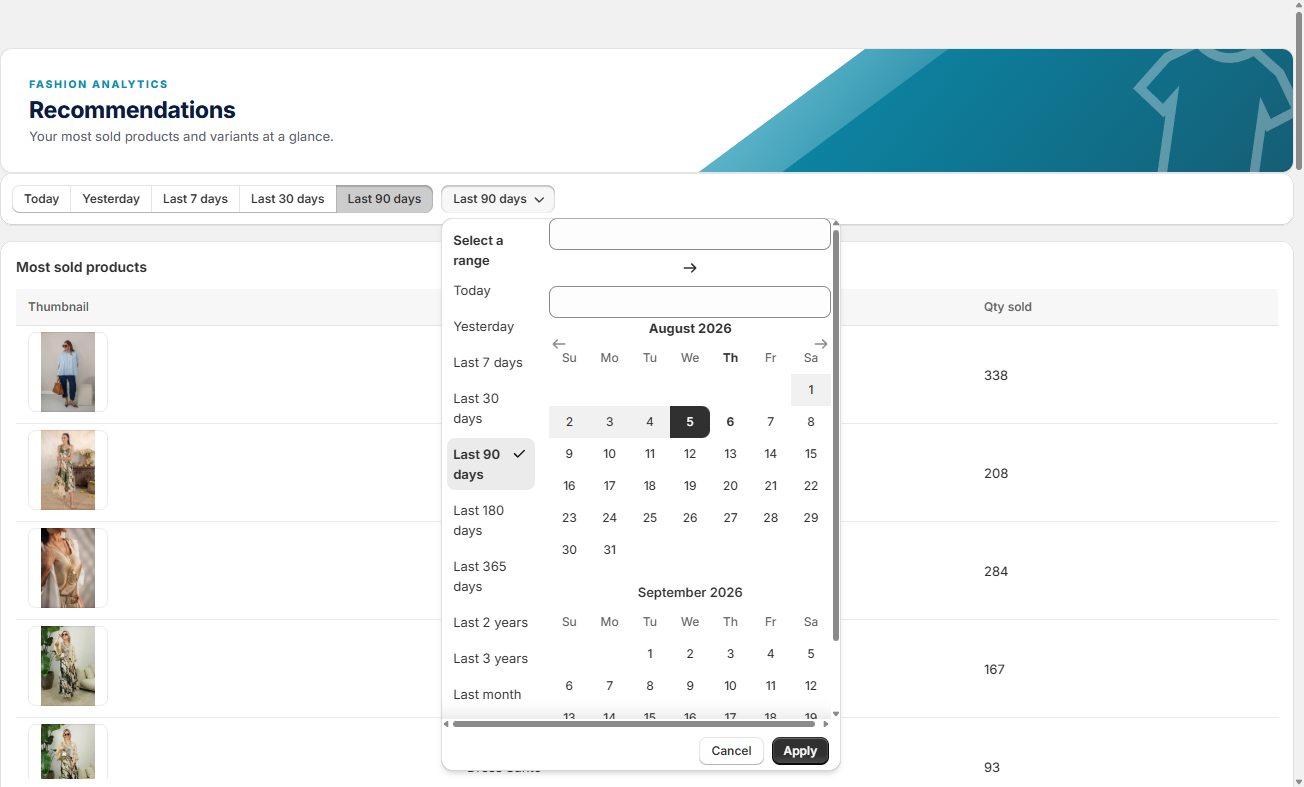
Your best sellers: products, variants and categories
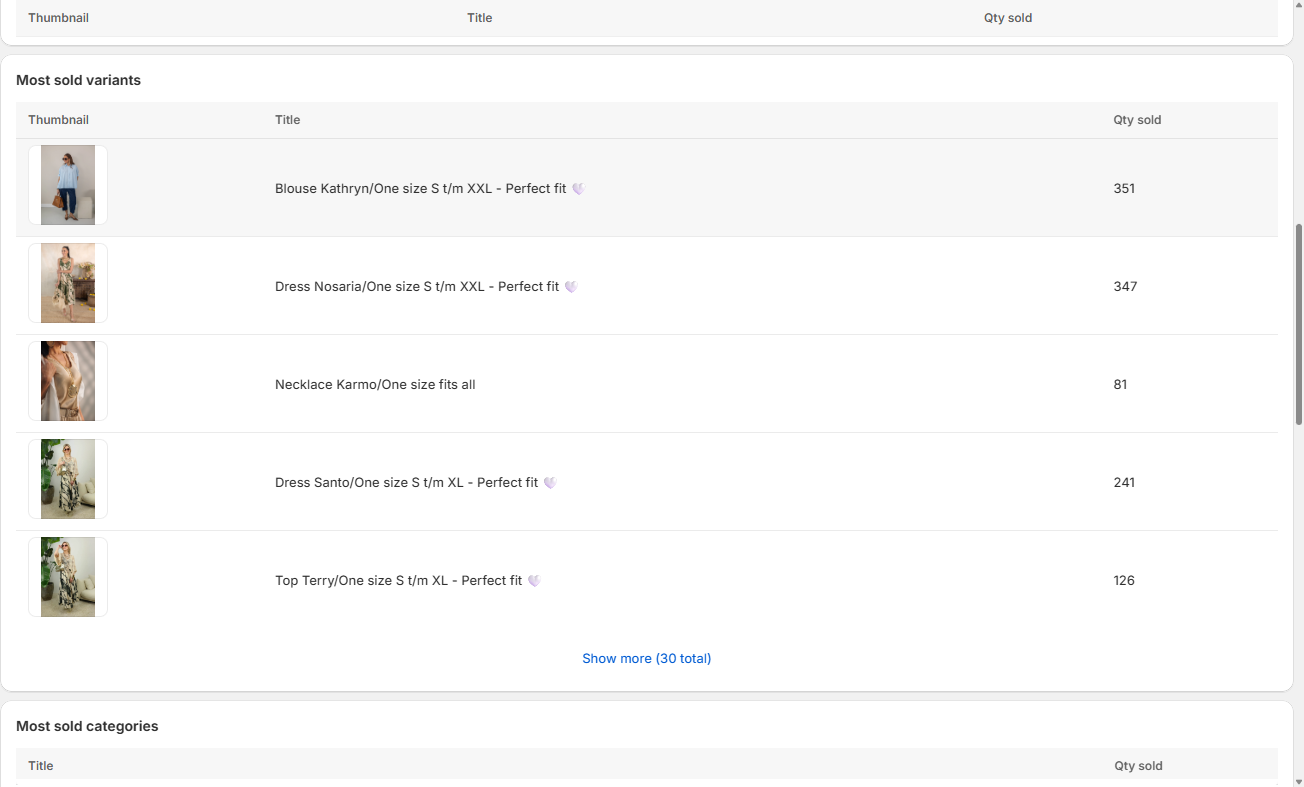
Most sold products shows your best sellers in the chosen period with the quantity sold. Most sold variants shows the same per variant, and Most sold categories tells you which product groups carry your revenue.
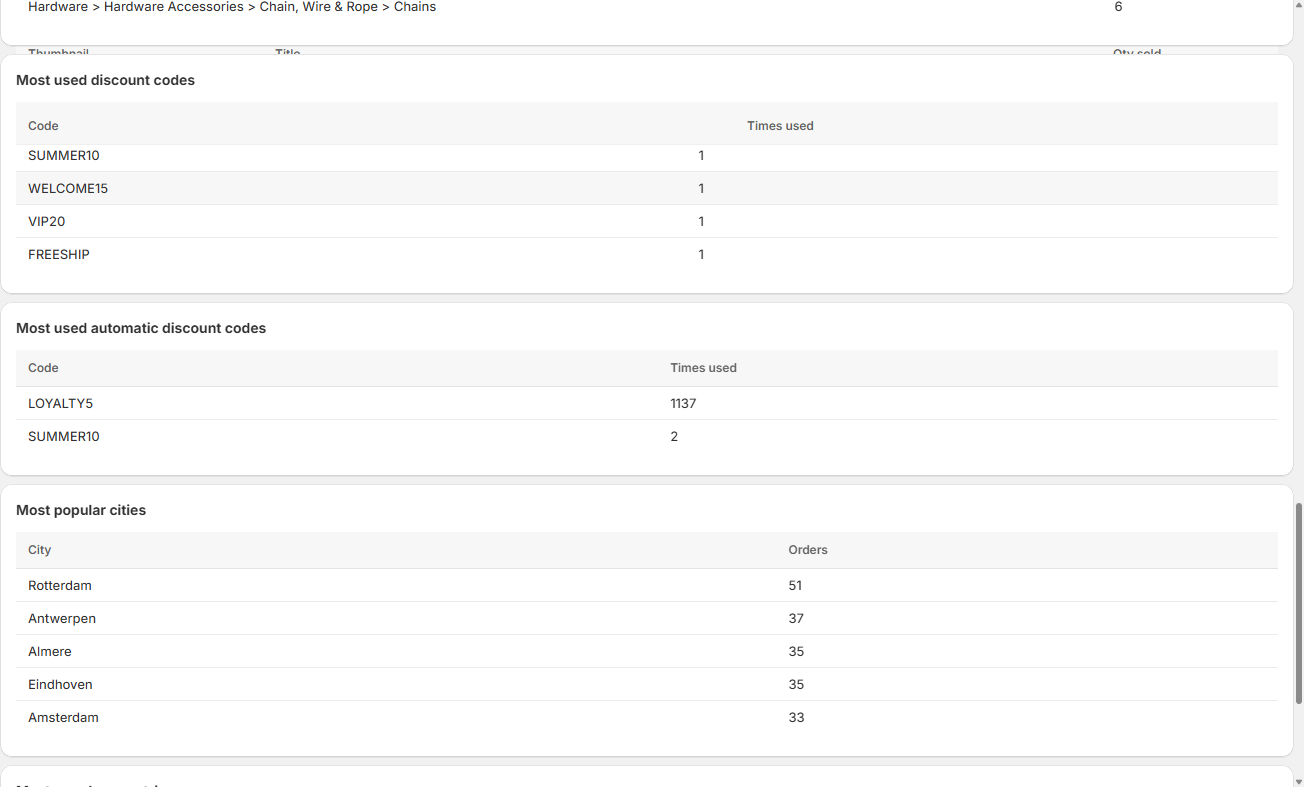
See which promotions are actually used
Most used discount codes — manual and automatic — show which promotions are actually being used in the period. A code that never appears here isn't doing its job.
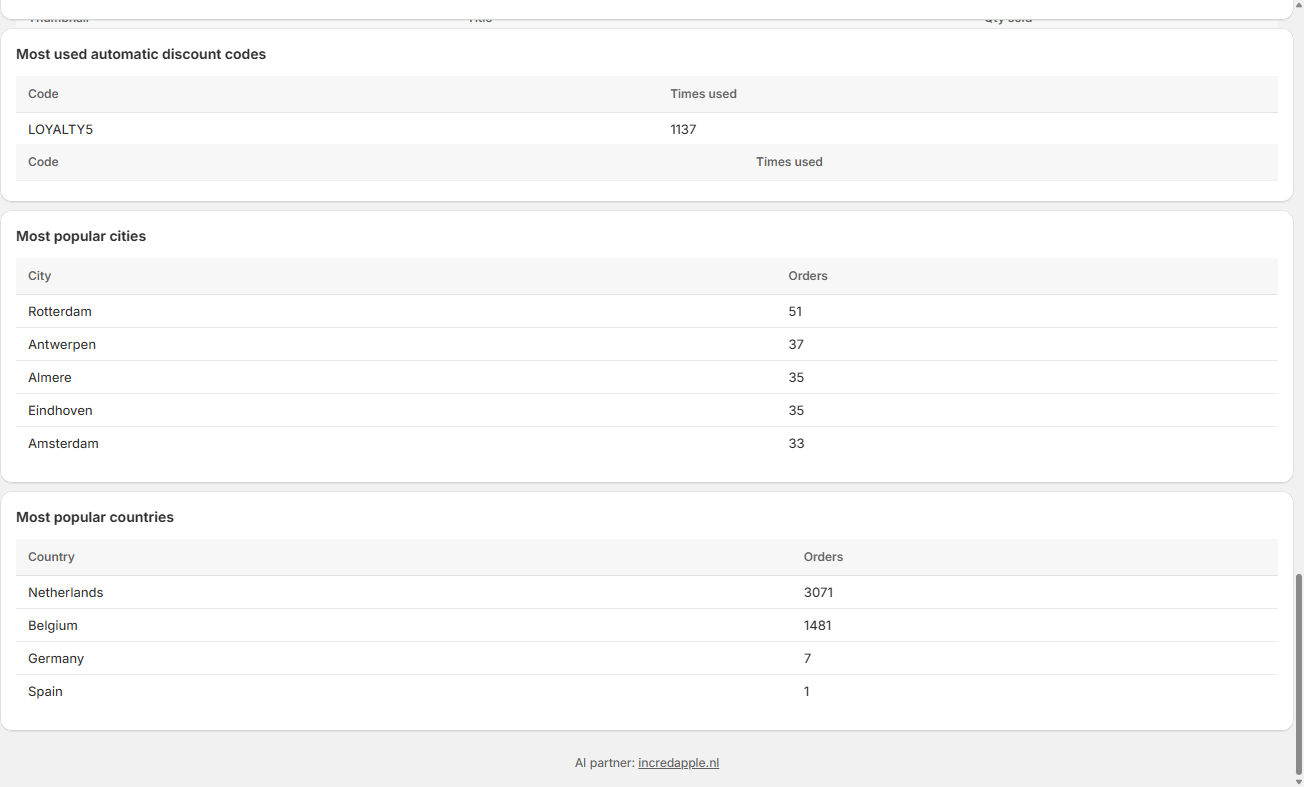
Know where your customers order from
Most popular cities and Most popular countries show where your orders come from — useful for local campaigns, choosing event locations, or spotting international demand early.
Show more results per list when you need them
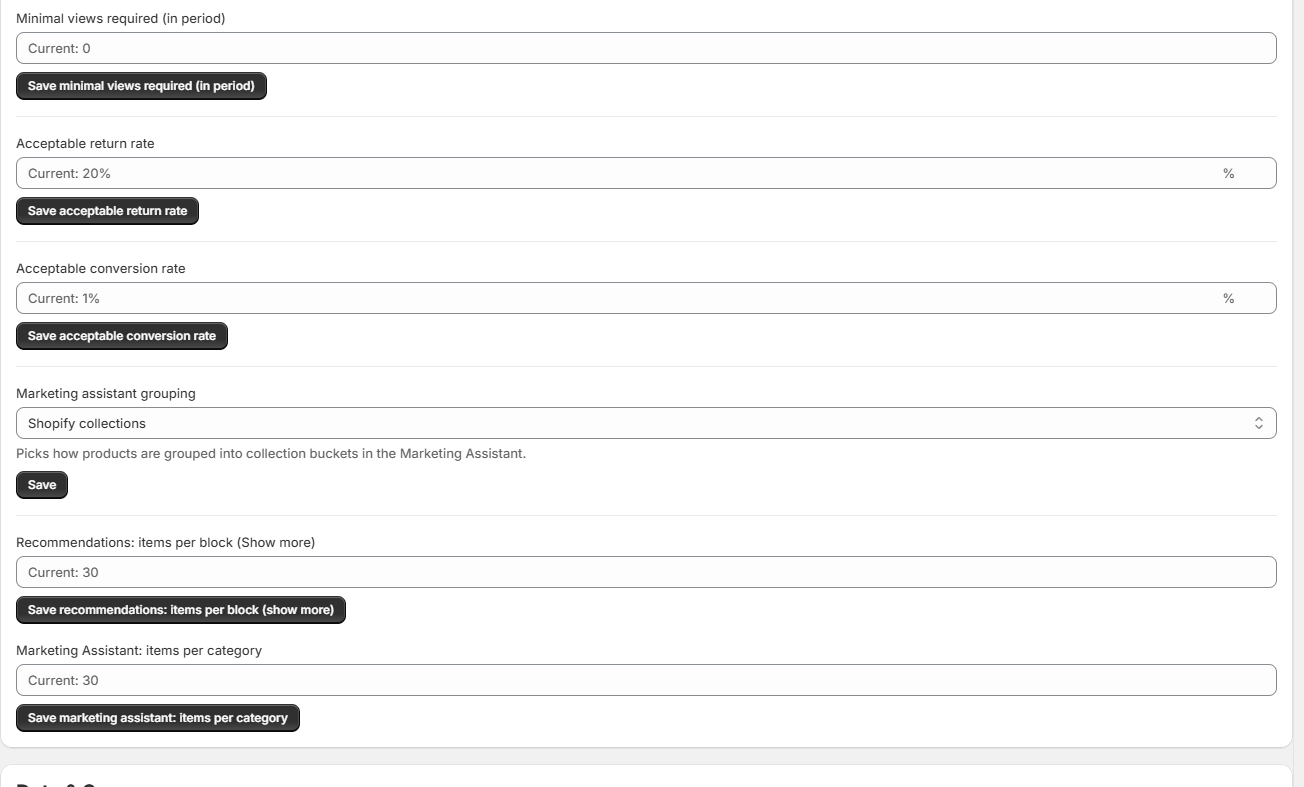
On the Settings tab, Recommendations: items per block (Show more) controls how many results each list shows. Raise it when you want deeper lists than the default.
💡 Good to know
- "What do I post today?" — open Most sold products on a short period and you have your answer.
- Check the discount lists after every promotion: they show which codes actually got used.
- A country that keeps climbing the list is international demand you can act on.
Your best sellers, promos and places — one glance.
Pick a period and read your top lists: best sellers, promotions and places, all at a glance.
Still have questions about the Recommendations page?
We're happy to help you get more out of it.
✉ Email us support@fashion-analytics.com